

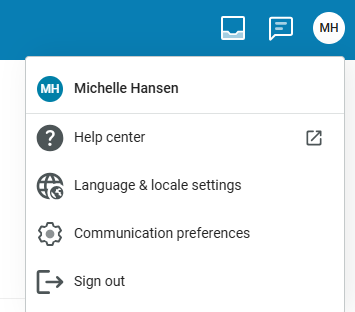
In MyPowerSchool when you click on your account icon in the upper right corner you can set your notification preferences for messages from staff.
Click on your personal icon – circle (example below MH). Then click on Communication Preferences.
You can set it to be instantly notified (each one seperate) or summary email (includes all for the day).
It should show you the email and cell number associated with the account. (If you need changes, update CONTACTS in PowerSchool by clicking on the pencil and making needed changes.)
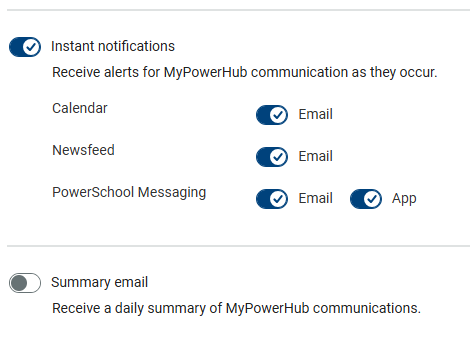
Take a look to see how yours are set up. Slide the toggle to the right to turn on & see a checkmark.
Any emergency type message will come through to everyone automatically if set up to receive text messages (parents who have an access account in PS and Text Y to 67587). If you need an access account, see the building secretary. If you could do eregistration, you have an access account. Not many families had one for the other parent in the household. It takes just a minute for the secretary to create that access and set up an account. Give them a call at 319-259-5340 ext 1250 for middle/high school or 1300 for elementary.
Find P/T Conference sign ups in Newsfeed! 7-12 parents sign up once for each teacher you want to visit with