

Introducing SafeArrival: A New Way to Report Student Absences
Midland Community School District is committed to keeping students safe and accounted for each school day. To make reporting absences easier for families, we are introducing SafeArrival.
SafeArrival is a convenient system that allows parents and guardians to report student absences through the PowerSchool Mobile App, MyPowerHub, or by calling the Midland District directly. Once an absence is reported through SafeArrival, there is no need to call the school, send an email, or provide an additional absence note.
How SafeArrival Works
- Report your child’s absence by 9:00 a.m. on the day they will be absent.
- If your child is marked absent and an absence has not been reported, SafeArrival will send a text message and email at 9:00 a.m.
- If the absence is still not reported, SafeArrival will make an automated phone call 15 minutes later.
- Absences can be reported through SafeArrival until 2:00 p.m. on the day of the absence.
- Absences can also be reported up to 10 days in advance.
- Attendance information is automatically updated in PowerSchool every 15 minutes.
Parents and guardians who report an absence through SafeArrival will not receive the automated absence notifications and will not need to submit an additional absence note. The SafeArrival report serves as the absence notification.
Ways to Report an Absence
1. PowerSchool Mobile App
Using your mobile device, open or install the PowerSchool Mobile App:
Then:
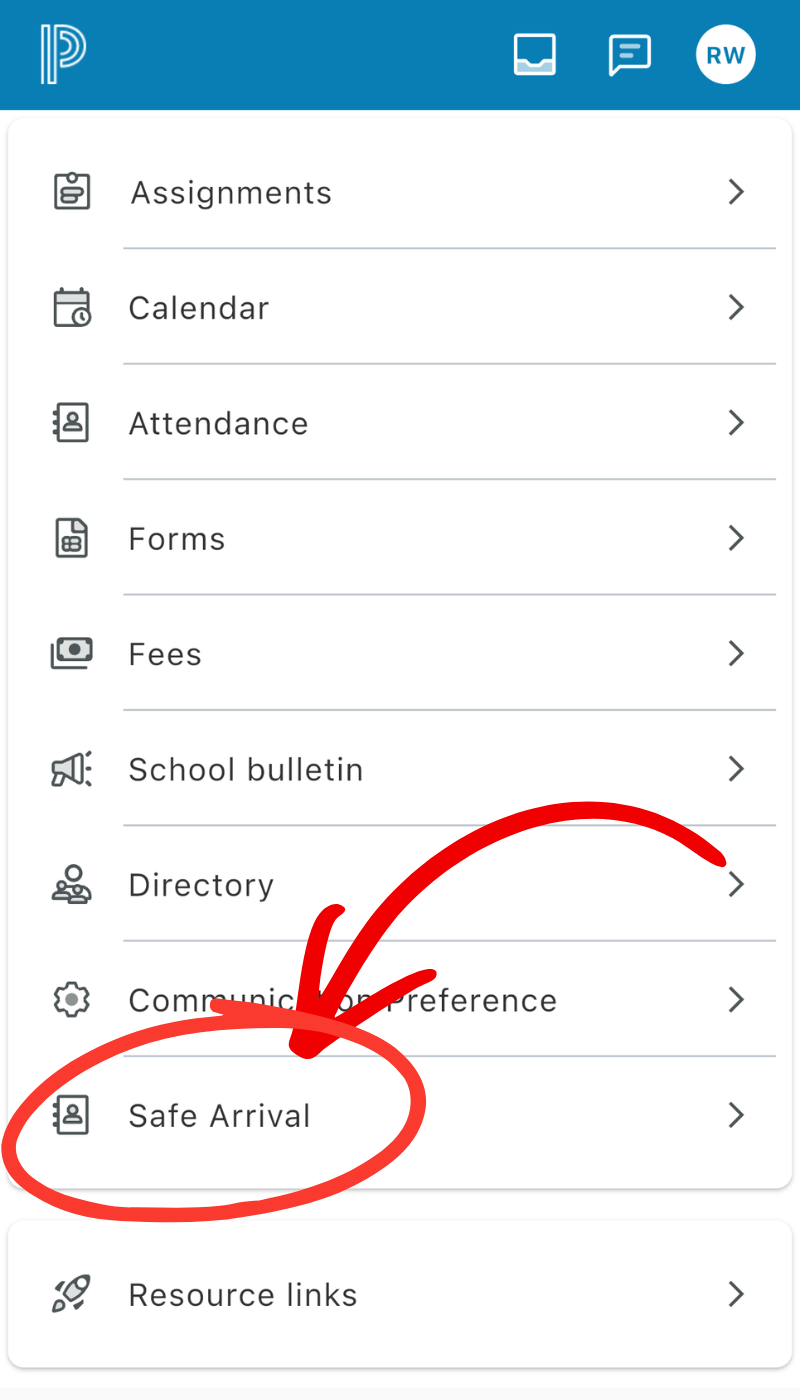
- Select the menu option in the lower-right corner of the screen.
- Select SafeArrival.
- Select Report Absence at the top of the screen.
- Answer all questions accurately.
- Select Save.
2. MyPowerHub
Then:
- Select Attendance.
- Select SafeArrival Attendance.
- On the SafeArrival screen, select Report Absence.
- Select the Absence Reason.
- Select Save.
3. Contact the School
Families may continue to report absences directly to their child’s school by phone or email. If you report an absence through SafeArrival, however, you do not need to contact the school separately or send an additional absence note.
Phone number to call to attendance line: 319-259-5340 — For elementary absences, please use the extension 4100, for middle/high school absences, please use the extension 4045.
Important: Any absence reported after 2:00 p.m. must be reported directly to the school office by phone, email, or note.
For absences due to illness or another same-day reason, please report the absence as early in the morning as possible. Future absences may also be reported in advance.
SafeArrival and PowerSchool
SafeArrival uses our student information system, PowerSchool, to verify parent and guardian accounts. When creating or accessing your SafeArrival account, it is important to use the same email address that is on file in PowerSchool.
Vacation Requests
SafeArrival may be used to submit vacation requests, however middle/high school students must also complete and submit the Preexcused Form and submit it to the office before leaving. These forms are available in the student handout bins outside the High School Office.
For additional information, please refer to the SafeArrival Quick Tips.
If you have questions about SafeArrival or reporting an absence, please contact your student’s school main office.