

Midland is in the middle of an implementation to MyPowerHub this summer. We will be sending out more information on how to get the parent app for that system when it is fully functional.
MyPowerHub will be like the house that will hold multiple products that you as parents/students may need to use. We think it should be pretty user friendly and hope having all items in one app or one URL on your desktop will be more convenient.
It will house:
– PowerSchool – where you can check grades, assignments, attendance, lunch balance like you always have before.
– PowerSchoolMessenger which will replace ParentSquare. You will be able to set up your account to receive text, email or phone calls to receive communication from teachers, coaches, administrators as needed. You will also be able to send messages to staff and administrators as needed.
– PowerSchool Payments program where parents will be able to pay school fees online, including registration, lunch fees, fees owed. We don’t have this piece totally set up yet, but are hoping to complete it by August so it can be utilized to pay registration fees this year – more info what that is in place.
– Calendar – MyPowerHub has an actual calendar that will show all early dismissals, no school days, etc. (We hope to be able to Synch the BOUND calendar to include activities as well).
– Messenger Communicate is a new system that administrators will use to send blasts out about school closures or delays or emergencies. This will be a one way communication piece that will get the information to you ASAP based on how you set up your account (email, text, call).
We are currently still using PowerSchool with the same URL and login information. We will be using that throughout our eregistration season.
As part of this change, we will need parents to do a couple of things:
1) During the eregistration process please be sure to double check in the CONTACTS portion of the eregistration process that you have the correct names and correct current information (phone, email) for Guardian 1 and Guardian 2 – those are the contacts who will be receiving messages from both messaging systems. So move your most important people to the top of the contacts list.
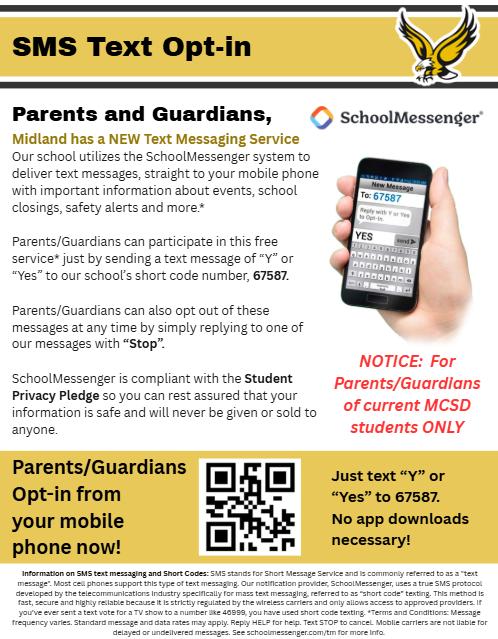
2) If you want to receive TEXT Messages from the school you will need to OPT IN by texting “Y” or “Yes” to 67587.
You can do this at any time, but we urge you to take time to do it now so you don’t forget and miss important information that may be sent out by the school. You can always Opt out later by replying to any message with “Stop”.
You will get a reply text, be sure to read this carefully – don’t fill out the form unless you want to OPT OUT. You may need to reply Y again to the first message. Then you should be set.
The e-registration process will opened on Monday, July 27th for all students. You will do this just like before, by logging into your PowerSchool parent account and in the left hand navigation column click FORMS. Complete all 8 forms for each student. If questions, contact the office.
NOTE: ParentSquare may be used to send out messages through the end of September, so don’t delete that app just yet while we transition.
If you have access to our PowerSchool parent portal you will find a link to MyPowerHub in the left hand navigation column to switch over to MyPowerHub to take a peak. Note there will be a lot of gaps as the system isn’t totally set up yet.
Here are a few items that will help introduce you to MyPowerHub:
MyPowerHub Parent & Guardian Overview
MyPowerHub Training Video shows how it will look when fully set up.
Again, we will share more information as we get things implemented and ready for use.